
Download and run the install.sh script to set up the Multi Company Manager (MCM) software on Linux systems like Ubuntu. This creates a local MCMSW folder with all required files.
Step 1: Download install.sh
Download the install.sh file to your Linux Desktop or preferred folder (e.g., ~/Desktop).
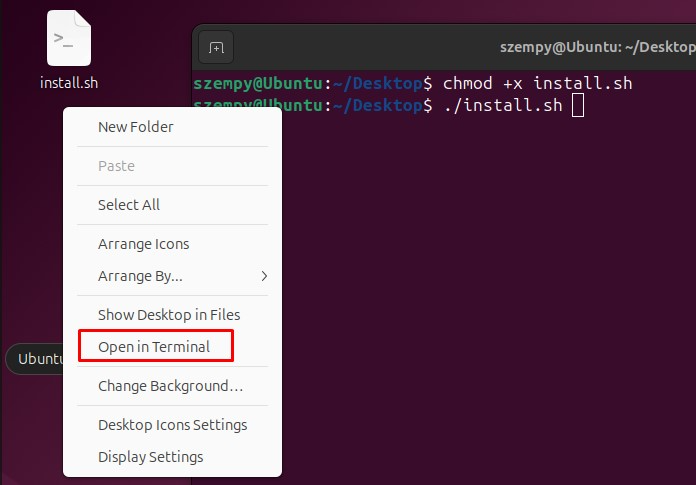
Open a terminal (Ctrl+Alt+T) and navigate to the download location or right click on the Desktop and select Open in Terminal:
cd ~/Desktop
(Replace ~/Desktop with your actual path if saved elsewhere.)
Step 2: Make Executable and Run
The current user must be an administrator (sudo access required). You'll need to enter the sudo password when prompted during installation.
Make the script executable and run it using these commands:
chmod +x install.sh
./install.sh
The chmod +x install.sh adds execute permissions.
After Installation
Find MCM in ./MCMSW/MultiCompanyManager.jar – double-click to run or use ./MCMSW/MultiCompanyManager.jar in terminal. Reboot recommended for full setup.